

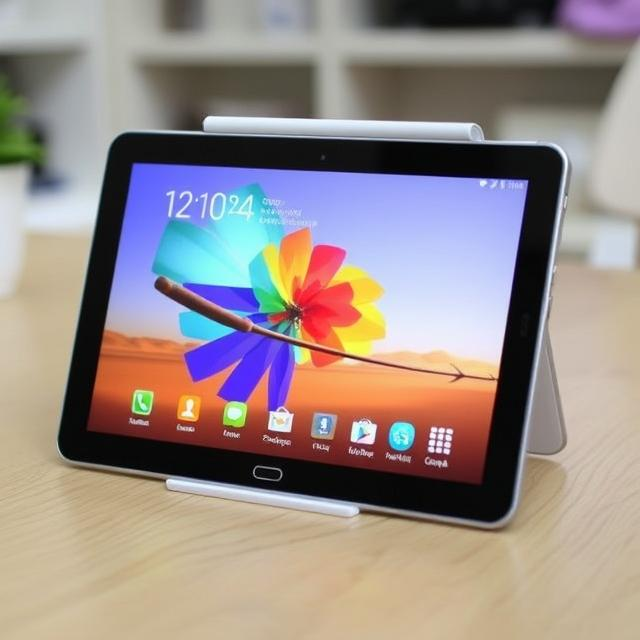
The tablet market has become increasingly competitive over the past few years, with many brands vying for the top spot by offering versatile, budget-friendly, and high-performance devices. Among the most talked-about tablets of 2023 is the Galaxy Tab A9+, a device that combines the latest technology with affordability. Whether you’re a student, a casual gamer, or someone who enjoys watching movies and browsing the web, the Galaxy Tab A9+ is designed to cater to various needs, without breaking the bank. Let’s explore why this tablet has become such a hit in the market and how it stands out from other budget options.
Table of Contents
ToggleIntroduction to the Galaxy Tab A9+
Samsung has long been a leader in the tablet space, with its Galaxy Tab series offering everything from high-end devices to affordable alternatives. The Galaxy Tab A9+ fits into the affordable category, but that doesn’t mean it skimps on features or performance. With its sleek design, good display, and strong performance, the Galaxy Tab A9+ delivers a compelling experience at a budget-friendly price. The tablet offers a balance of value and functionality that makes it a great choice for many users, from students to families.
Design and Build Quality
When you first hold the Galaxy Tab A9+, the first thing you’ll notice is its sleek and modern design. Samsung has managed to create a tablet that feels premium despite being affordable. The slim profile and lightweight build make the Galaxy Tab A9+ easy to carry around, whether you’re commuting or traveling. At just the right size, it’s not too bulky or too small, making it comfortable to hold for extended periods.
The Galaxy Tab A9+ has an attractive, minimalist design that fits in well with Samsung’s modern tablet aesthetic. The display is bordered by slim bezels, and the device features smooth rounded edges, making it feel ergonomic in hand. Whether you’re using the Galaxy Tab A9+ for productivity, media consumption, or just browsing the web, the overall design enhances the user experience.
Display Quality
The Galaxy Tab A9+ features a 10.4-inch TFT display, which is a good size for watching movies, browsing the web, and using apps. While it’s not as high-end as the Super AMOLED displays found in more expensive Samsung tablets, the 10.4-inch screen provides bright and clear visuals, which are more than adequate for everyday use. The colors pop nicely, and the screen is bright enough to be used indoors and in low-light environments.
The resolution of 2000 x 1200 pixels gives the Galaxy Tab A9+ a sharp image quality that ensures clear text and vibrant graphics. Whether you’re watching YouTube videos, reading eBooks, or playing mobile games, the screen offers decent performance for all these tasks. While it may not rival the higher-end displays, it certainly holds its ground for its price range.
Performance and Speed
Under the hood, the Galaxy Tab A9+ is equipped with a capable processor that ensures smooth performance for day-to-day tasks. Powered by the octa-core processor, combined with a sufficient amount of RAM (typically 4GB), the Galaxy Tab A9+ delivers solid performance when handling tasks like browsing, watching videos, and multitasking between apps.
While the Galaxy Tab A9+ may not be a powerhouse when compared to high-end tablets, it is more than capable of handling all typical tasks without lag or stutter. Whether you’re working on a document, checking emails, or streaming your favorite shows, the tablet performs well without compromising the user experience.
For casual gaming, the Galaxy Tab A9+ offers a decent experience. While it won’t handle graphically intensive games at maximum settings, it can still run popular games like Clash Royale, Candy Crush, and PUBG Mobile at medium settings with no noticeable performance drops. This makes the Galaxy Tab A9+ an excellent choice for users who need a budget-friendly tablet that can handle casual gaming.
Battery Life
One of the most important features of any tablet is battery life, and the Galaxy Tab A9+ does not disappoint. With its 7,040mAh battery, the Galaxy Tab A9+ can last for hours on a single charge. Whether you’re watching videos, browsing the web, or working on documents, you’ll get a full day of use without needing to recharge. In typical use cases, users can expect around 10 to 12 hours of battery life, depending on the activities you’re performing.
The battery life of the Galaxy Tab A9+ is more than sufficient for most users, especially those who only need to use their tablet for lighter tasks throughout the day. With the inclusion of a USB-C charging port, charging the tablet is faster and more convenient compared to older micro-USB options.
Software and Features
The Galaxy Tab A9+ runs on Android, with Samsung’s One UI skin on top. One UI provides a clean and intuitive user interface that’s easy to navigate, even for users who are new to Android. The Galaxy Tab A9+ also benefits from Samsung’s regular software updates, ensuring that the tablet remains secure and performs optimally over time.
For productivity, the Galaxy Tab A9+ supports multitasking features such as split-screen mode, allowing users to run two apps simultaneously. This can be helpful for users who like to watch videos while browsing the web or checking emails.
The tablet also supports the Samsung S Pen, though it’s not included in the box. The S Pen is a great addition for note-taking, sketching, or other creative tasks. If you’re a student or someone who likes to jot down quick notes, the Galaxy Tab A9+ becomes even more useful with the optional S Pen support.
Storage Options and Expandability
The Galaxy Tab A9+ comes with 64GB or 128GB of internal storage, which should be more than enough for most users. If you need more space, the tablet supports microSD cards, allowing you to expand storage up to an additional 1TB. This is a useful feature, especially for users who plan to store large files, such as videos, photos, or documents.
Whether you’re using the Galaxy Tab A9+ for work or entertainment, the ability to expand storage makes it a versatile choice, as you can carry all your files and apps without worrying about running out of space.
Camera Performance
While the camera on the Galaxy Tab A9+ isn’t the tablet’s standout feature, it does a decent job for everyday tasks such as video calls, document scanning, and casual photography. The rear camera has an 8MP sensor, while the front camera is a 5MP unit, which is great for video calls, selfies, and streaming. The camera app is simple to use, and it captures decent quality photos in good lighting conditions.
For video calls and online meetings, the Galaxy Tab A9+ performs well, and the front-facing camera provides clear visuals for communication. Though it’s not designed for high-end photography, the cameras are more than sufficient for everyday use.
Connectivity
The Galaxy Tab A9+ supports Wi-Fi and optional 4G LTE connectivity, so you can stay connected wherever you go. With the ability to connect to mobile networks, you can use the tablet while on the move, whether you’re traveling or working in a coffee shop. The Galaxy Tab A9+ also comes with Bluetooth support, allowing you to connect wireless headphones, keyboards, or other peripherals.
Why Choose the Galaxy Tab A9+?
The Galaxy Tab A9+ offers an excellent combination of affordability, performance, and features, making it a great choice for a wide range of users. Whether you need a tablet for work, school, entertainment, or casual gaming, the Galaxy Tab A9+ delivers solid performance at a price that’s hard to beat.
Here’s a summary of why the Galaxy Tab A9+ should be on your radar:
-
Affordable pricing: The Galaxy Tab A9+ offers great value for its features and performance, making it an excellent option for users on a budget.
-
Sleek design: The slim and lightweight design of the Galaxy Tab A9+ makes it easy to carry and use on the go.
-
Decent display: The 10.4-inch screen offers a vibrant and sharp experience for most tasks.
-
Good performance: Powered by a capable processor, the Galaxy Tab A9+ can handle a variety of tasks, from media consumption to light gaming and productivity.
-
Long battery life: With a large battery, the Galaxy Tab A9+ offers excellent battery life, ensuring you stay powered throughout the day.
-
Expandable storage: The inclusion of a microSD slot allows you to expand storage up to 1TB, providing plenty of space for apps, photos, and videos.
-
S Pen support: Although not included in the box, the Galaxy Tab A9+ supports the Samsung S Pen, which is great for note-taking and creative work.
Conclusion
The Galaxy Tab A9+ is a solid option for anyone looking for a budget-friendly tablet that doesn’t compromise on performance or features. With its large display, long battery life, expandable storage, and solid performance, it’s a versatile device that can handle everything from work tasks to casual entertainment. Whether you’re using it for school, work, or simply browsing the internet, the Galaxy Tab A9+ offers exceptional value for the price. If you’re in the market for an affordable tablet that checks all the right boxes, the Galaxy Tab A9+ should be at the top of your list.