

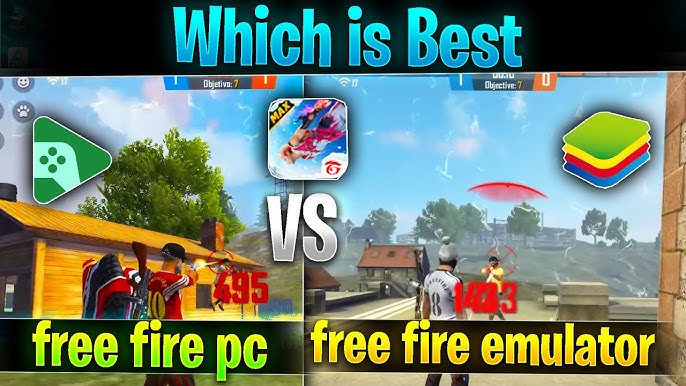
Starting with the Free Fire gameplay emulator, many players today prefer shifting from mobile screens to larger displays to improve aim, reaction time, and overall gaming experience. Emulators don’t just boost performance—they unlock a completely new way to experience battle royale gameplay. With the right settings, controls, and hardware adjustments, players can dominate the lobby just like top-tier creators and esports athletes.
Why Players Prefer the Free Fire gameplay emulator for Competitive Gaming
The rise of competitive battle royale gaming has transformed how players approach Free Fire. On smaller phones, multitasking becomes difficult, and extended gaming sessions lead to overheating and lag. Emulators solve this by offering a larger screen, keyboard precision, and better stabilization during intense gunfights.
Many professional players use PC emulation not only for comfort but also for strategic advantages. A wider field of view allows better awareness during squad pushes and rotations. A stable frame rate helps during close-range battles, especially with shotguns and SMGs. This is why using a Free Fire gameplay emulator can be a game-changing choice for both beginners and experienced survivors.
Understanding How Emulators Enhance Overall Gameplay Quality
An emulator basically mirrors your mobile game onto your PC environment. It translates your keyboard and mouse inputs into touch commands, allowing smooth gameplay while maintaining authenticity. The biggest benefit is control accuracy. With proper sensitivity tuning, recoil becomes easier to manage and movement becomes smoother during rush gameplay.
The difference becomes especially noticeable when switching between close-quarter combat and long-range sniping. With a mouse, players gain much better micro-control. This makes headshots more consistent, especially when using weapons like the M14, AK, or SCAR. The game also loads faster on PCs with SSDs, which means quicker access to matches and less waiting time during rank push sessions.
The Rise of Emulators in the Free Fire Community
The popularity of Free Fire content on platforms like YouTube, Instagram, and gaming streams has pushed more players toward emulators. Content creators prefer the larger interface because it makes recording and editing easier. Streaming tools run more efficiently on PCs, allowing creators to create high-quality content without frame drops.
Players who participate in custom room tournaments also enjoy the extra precision. During clutch moments, when the entire squad depends on split-second reactions, emulators offer steadiness that mobile screens sometimes fail to provide. This shift is also visible in coaching sessions, where professional mentors encourage new players to study gameplay, analyze movement, and practice aim using reliable emulation tools.
Choosing the Best Free Fire gameplay emulator for Stable Performance
Not all emulators deliver the same experience. Some focus on speed, others on compatibility. Selecting the right emulator depends on your PC configuration and your purpose—whether it’s gaming, streaming, or both.
A good emulator should load quickly, run smoothly, and support keymapping without unnecessary complications. Players often experiment with multiple options before finalizing the one that feels natural. Smoothness and stability matter more than flashy features. The right match can drastically improve your K/D ratio, accuracy percentage, and overall gameplay approach.
Setting Up the Emulator for Smooth and Lag-Free Gameplay
A common mistake players make is relying on default settings. Optimizing the emulator is essential for maximizing performance. Adjusting display resolution according to your monitor, assigning proper keymaps, and balancing performance mode ensures stable FPS even during intense battles.
Many players use custom DPI and sensitivity to make drag-headshots more consistent. While every player’s style is different, achieving balance between speed and control is key. Practicing in training grounds helps refine movement, aim-switching, and close-range flicks.
If your PC is mid-range, switching off heavy graphics features also helps maintain consistent performance. Stable frame rates prevent screen freeze during squad clashes, especially when grenades, gloo walls, and continuous rushes create chaos on-screen.
Enhancing Aiming Skills with Keyboard and Mouse Support
Keyboard and mouse input drastically transform gameplay style. Movements become fluid as players can crouch, jump, and strafe simultaneously without losing aim. This helps in performing complex movements like gloo wall counters, slide jumps, and fast cover placement.
The mouse offers fine-tuned aiming control, which is crucial for both sniping and short-range fights. Muscle memory also builds faster on PC controls, enabling players to adjust sensitivity to achieve consistent headshots. Practicing in specific aim drills improves reflexes and builds confidence before entering ranked matches.
How Free Fire gameplay emulator Benefits Content Creators
For content creators, emulators simplify multiple recording tasks. PC tools allow smooth capturing at high frame rates, making gameplay videos crisp and engaging. Editing becomes easier because footage is already in landscape orientation.
Commentary content, reaction videos, educational tutorials, and challenge streams all work seamlessly with emulator setups. Having multiple windows open—such as chat, analytics, or script notes—makes the entire process more professional. This is one reason many large Free Fire creators shifted to PC-based workflows.
Improving Rank Push Strategy Using an Emulator
Rank pushing requires patience, accuracy, and clarity in decision-making. Larger displays allow players to spot enemy movements, anticipate rotations, and avoid unnecessary clashes. During squad rank pushes, communication becomes smoother as PC setups allow simultaneous voice chat and screen monitoring.
The emulator also helps manage resources better. Players can quickly navigate their backpacks, organize loadouts, and swap weapons without misclicking. Effective use of grenades and gloo walls becomes faster due to refined control mapping on keyboards.
Common Mistakes Players Make While Using Emulators
Shifting from mobile to emulator takes adjustment. Some players increase sensitivity too much, making aim unstable. Others skip optimizing key layouts, causing confusion during fights. Consistency is achieved only when the settings match the player’s natural instincts.
Another common mistake is ignoring PC health. Background apps slow down performance and cause lag in crucial moments. Players should maintain a clean system, regularly update the emulator, and keep storage optimized.
Safety and Fair-Play Considerations While Using Emulators
Fair gameplay is essential for all Free Fire players. Emulators must always be used within allowed guidelines and configured properly without adding any external modifications. Maintaining honest gameplay helps the community stay competitive and enjoyable.
Players should avoid unofficial tools that promise unfair advantages. Authentic practice and skill-building always deliver more sustainable growth than shortcuts. Respecting the rules ensures a safe and stable environment for all players.
The Future of Free Fire gameplay emulator and PC-Based Gaming
With growing interest in battle royale gaming, emulator technology continues to advance. New updates deliver smoother gameplay, better compatibility, and more customization options. As game engines evolve, players can expect even more stable and immersive experiences.
Competitive players will keep adopting PC setups as part of their long-term growth. Content creators will continue using these tools to enhance production quality. The journey of Free Fire gameplay emulator is still evolving, opening new possibilities for gameplay excellence in the coming years.
Read also:
golden state warriors vs dallas mavericks match player stats
la clippers vs lakers match player stats
phoenix suns vs portland trail blazers stats
suns vs trail blazers prediction